A leaf inside 64 by 64 pixel selection bounds, with dimension and snapping guides.
Precision, built in.
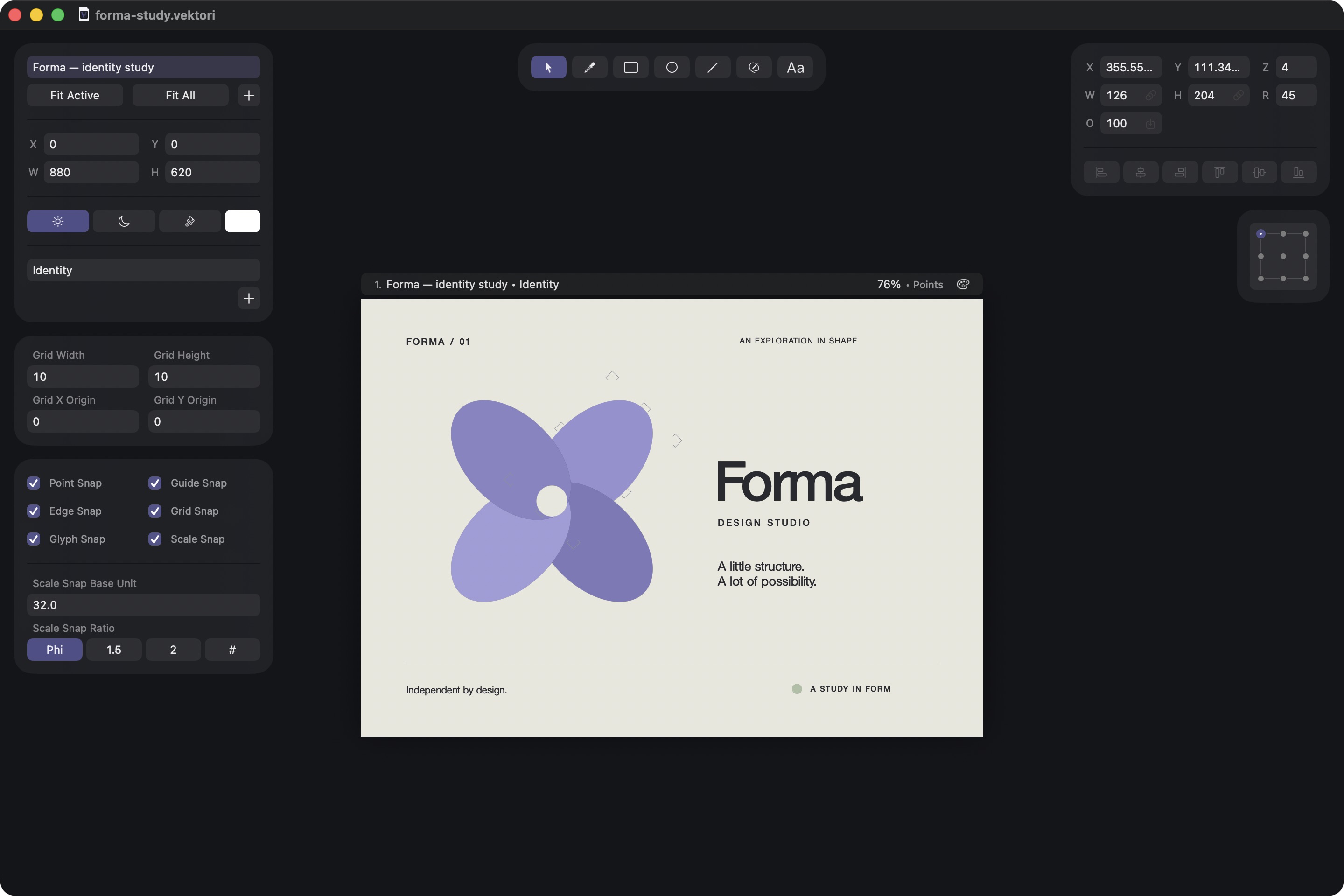
Whole-pixel primitive bounds. Guides, grids, and snapping when you need them.
 Vektori
For designers making icons, small marks, typography, and web graphics.
Draw, refine, and export in one focused Mac workspace.
01 / THE WORKFLOW
A few deliberate moves.
An asset ready for the next thing.
Rectangles, ellipses, lines, and the pen. Build the form you have in mind.
Set exact dimensions, align your artwork, and refine its appearance. Keep the paths editable.
Export SVG or PNG. Keep your editable original in Vektori, ready for the next idea.
An illustrated workflow. The native app is shown above.
02 / THE DETAILS
The small decisions that make the work feel right.
A leaf inside 64 by 64 pixel selection bounds, with dimension and snapping guides.
Whole-pixel primitive bounds. Guides, grids, and snapping when you need them.
Editable serif letterforms aligned to their cap height and baseline.
Live text, optical kerning, tracking, and leading. Give every word its space.
Nested rectangles with 16 pixel padding: the outer corner radius is 32 pixels, and the inner radius is 16 pixels.
Link nested rectangles. Keep padding and concentric corners coherent as you edit.
03 / THE PRICE
The complete workspace for everyday vector work. One payment. No subscription.
INTRODUCTORY PRICE
$29USD
$49 regular price
Or try Vektori for free for 14 days.
Keep using the version you buy. Upgrade when you choose.
Continued use requires a compatible Mac and macOS version.
04 / THE HANDOFF
Keep your editable original. Export the asset you need.
Vektori requires macOS 26 or later.
Import supported PDF-compatible .ai and PDF artwork into a new editable drawing. Some features or fonts may change or be omitted; Vektori shows detected differences. Your original stays untouched.
Export SVG, PNG, or a static HTML/CSS layout. Outline text to preserve its appearance, or keep live text when the right fonts will be available. HTML/CSS exports keep your artwork’s fixed layout.
Icons, small marks, typography, and web graphics. Everyday vector work that calls for precise shapes, thoughtful spacing, and a focused workspace.